How do I build a branded lead generation form with Claude that works on mobile, desktop and AI agents, host it on my own cloud, and send every lead straight to my CRM?
You can do it with PitCrew, a governed AI platform that connects to Claude through MCP. You upload your brand guidelines and questions to a PitCrew collection from Claude. PitCrew builds the form as an artifact and deploys it on your cloud. Every submission goes back into the collection and from there into your CRM.
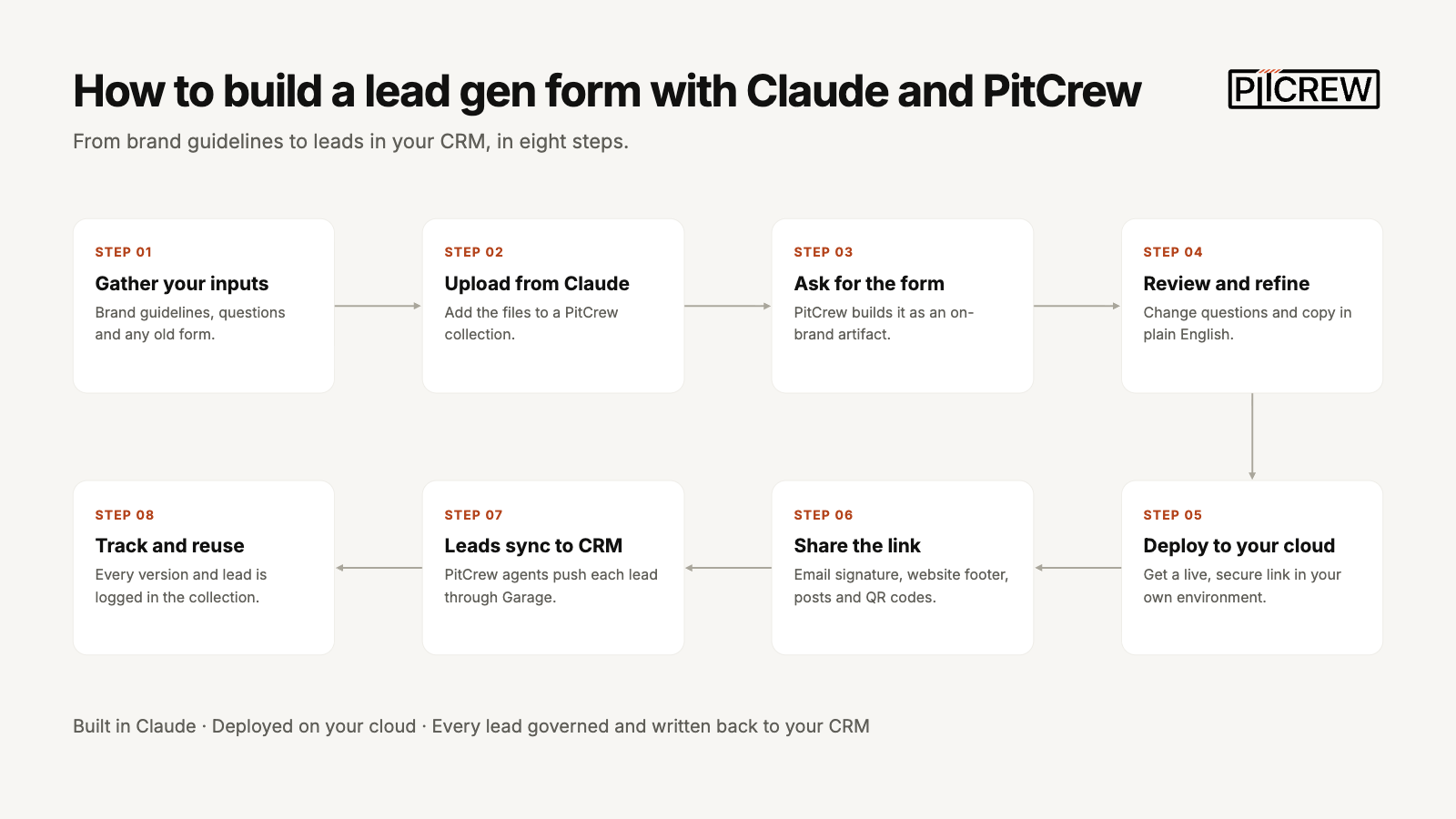
Step 1: Gather your inputs
Collect what PitCrew needs to build the form: your brand guidelines (logo, colors, fonts, tone of voice), the questions you want to ask prospects, and any old lead form you already use. Rough notes or a screenshot of an existing form are enough.
Step 2: Upload them to a PitCrew collection from Claude
In Claude, attach your files and ask PitCrew to store them, for example: Add these to a new collection called lead gen forms.
The collection becomes the single source of truth for this form: its brand rules, its questions, and later every lead it captures.
Step 3: Ask PitCrew to build the form
Tell Claude what you want, for example: Build a lead capture form for our webinar using the brand guidelines and questions in the lead gen collection.
PitCrew creates the form as an artifact in your brand style. It works on mobile and desktop, and personal AI agents can fill it in for a prospect.
Step 4: Review and refine
Preview the form and adjust it by asking Claude, for example: Add a company size question,
Make the button say Book a demo
or Shorten the intro.
You can also edit the form in PitCrew’s own interface. Every version is saved in the collection.
Step 5: Deploy it on your cloud
Ask PitCrew to deploy the form to the cloud platform of your choice. You get a live, secure link that runs in your own environment, so lead data stays under your control.
Step 6: Share the link in your go-to-market channels
Put the link wherever you reach prospects: your email signature, your website footer, newsletters, LinkedIn posts, event QR codes, sales decks and partner materials. Prospects open it on any device or hand it to their own AI assistant to complete.
Step 7: Send every lead to your CRM automatically
Each submission goes straight back into the PitCrew collection. PitCrew’s pre-built agents then push the leads into your CRM or marketing platform through Garage, PitCrew’s integration hub. Nobody has to export or rekey anything.
Step 8: Track, govern and reuse
The collection keeps a full record of every form version, every submission and every sync to your CRM, so you always know where each lead came from. You can follow the same steps to build event registrations, demo requests, partner applications or customer surveys.
Frequently asked questions
Last updated
How do I build a branded lead generation form with Claude?
Use PitCrew, a governed AI platform that connects to Claude through MCP. Upload your brand guidelines and questions to a PitCrew collection from Claude, and PitCrew builds the form as an artifact in your brand style and deploys it on your cloud.
What do I need before I start?
Your brand guidelines (logo, colors, fonts, tone of voice), the questions you want to ask prospects, and any old lead form you already use. Rough notes or a screenshot of an existing form are enough.
Does the form work on mobile, desktop and AI agents?
Yes. The form works on mobile and desktop, and personal AI agents can fill it in for a prospect. Prospects open the link on any device or hand it to their own AI assistant to complete.
Where is the form hosted?
On the cloud platform of your choice. PitCrew deploys the form there and gives you a live, secure link that runs in your own environment, so lead data stays under your control.
How do leads get into my CRM?
Automatically. Each submission goes back into the PitCrew collection, and PitCrew’s pre-built agents push the leads into your CRM or marketing platform through Garage, PitCrew’s integration hub. Nobody has to export or rekey anything.
Can I change the form after it is built?
Yes. Ask Claude for changes, such as adding a company size question or changing the button text, or edit the form in PitCrew’s own interface. Every version is saved in the collection.
How do I know where each lead came from?
The PitCrew collection keeps a full record of every form version, every submission and every sync to your CRM, so you always know where each lead came from.
What else can I build the same way?
Event registrations, demo requests, partner applications and customer surveys all follow the same steps.
See what PitCrew can take off your team's plate
Tell us one task your team does by hand every week. We'll show you the agent that handles it, set up to your firm's rules, with your team approving each step.